Open Source CAD: Which Free Tool Fits Your Work
An honest guide to open source CAD: FreeCAD, LibreCAD, QCAD, OpenSCAD, SolveSpace and CADCraft compared by who each suits, who it does not, license and platforms, including where CADCraft falls short.
 CADCraft AI Editorial
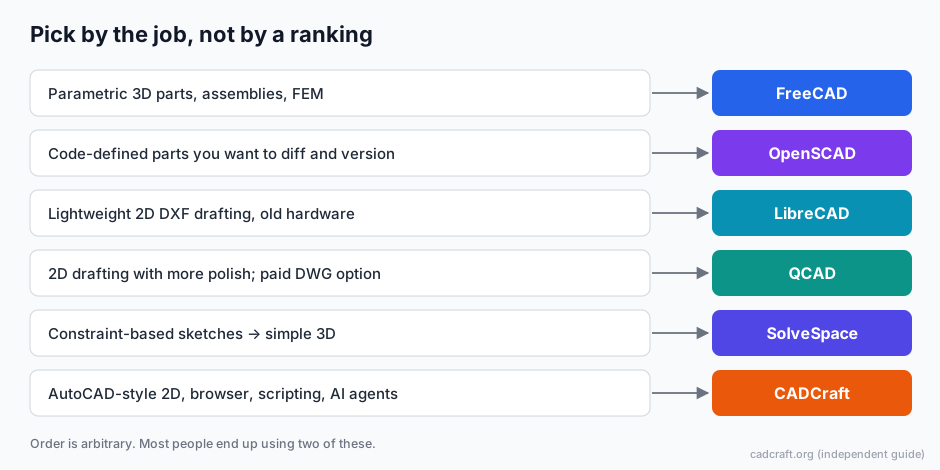
Short answer: choose by the work, not by a ranking.
- Parametric 3D parts and assemblies: FreeCAD.
- Parts defined in code: OpenSCAD.
- Light 2D DXF drafting: LibreCAD or QCAD Community Edition.
- Constraint-driven sketches that become simple 3D: SolveSpace.
- AutoCAD-style 2D with a command line, in the browser or driven by scripts and AI agents: CADCraft (desktop from the download page, or try it online with DXF files).
All of them are free to use. Most people end up running two of them.
cadcraft.org is an independent guide to CADCraft, not the official site. That's exactly why this page tries hard to be fair to the other projects.
How to choose in four questions
- 2D or 3D? If the end product is a manufactured 3D part, start with FreeCAD, OpenSCAD or SolveSpace. Don't try to fake 3D in a 2D drafting tool.
- What files come in and go out? If clients send DWG, you need a tool that reads it (see the table) and you need to accept some loss. For STEP and STL you need a 3D tool. The CAD file formats guide maps formats to tools.
- Mouse-and-menus, command line or code? AutoCAD users will feel at home in CADCraft's command line. Programmers often prefer OpenSCAD's text files, which work with Git.
- Where does it have to run? All of these run on Windows, macOS and Linux. CADCraft also ships an official FreeBSD build and a WebAssembly build that runs in a browser, which helps on locked-down or shared computers.
Comparison: who each tool suits
| Tool | Suits | Doesn't suit | License | Platforms |
|---|---|---|---|---|
| FreeCAD | Mechanical parts, assemblies, 2D drawings made from 3D models (TechDraw), FEM, Python scripting | People who only need quick 2D floor plans; users who want an AutoCAD-like command line | LGPL | Windows, macOS, Linux |
| LibreCAD | Simple 2D drafting, DXF files, older or low-powered computers | Heavy DWG exchange, 3D, large annotated drawing sets | GPLv2 | Windows, macOS, Linux |
| QCAD (Community Edition) | Clean 2D drafting with a mature interface, DXF work | DWG without paying (DWG is in QCAD Professional, a commercial edition) | GPLv3 (Community Edition) | Windows, macOS, Linux |
| OpenSCAD | Parametric parts written as code, 3D-printing models, designs kept in Git | Freehand sketching, 2D drafting with dimensions and layouts | GPLv2 | Windows, macOS, Linux |
| SolveSpace | Constraint-based sketches extruded into simple solids, small mechanisms | Complex assemblies, DWG workflows | GPLv3 | Windows, macOS, Linux |
| CADCraft | AutoCAD-style 2D drafting, opening DWG/DXF for free, scripting with a CLI, AI agents over MCP, CAD in a browser | Production work that depends on lossless DWG round trips, 3D modeling, AutoCAD plug-ins | MIT OR Apache-2.0 | Windows, macOS, Linux, FreeBSD, web |
Licenses were checked against each project's repository in October 2026. For QCAD, the license applies to the Community Edition source.
Where the others are better than CADCraft
FreeCAD is the clear pick for real 3D. It has a parametric history, sketches with constraints, a part design workflow, assemblies, finite-element analysis and a CAM workbench, plus TechDraw to turn models into dimensioned 2D sheets. It reads and writes STEP, IGES and STL, and can import DWG through the free ODA File Converter. CADCraft's own roadmap puts its 3D modeling at an early stage, so for parts, FreeCAD wins.
OpenSCAD is better when the design is the code. A .scad file is plain text: you can diff it, review it in a pull request and regenerate variants by changing one number. CADCraft can be scripted too, but its drawings are DXF/DWG files, not source code.
LibreCAD is mature, small and focused on 2D DXF. On an old laptop, or for a simple bracket drawing, it does the job with less to learn. Its developers have been working on DWG input and output, so check what the release you install supports.
QCAD has a polished 2D interface and a long track record. If you're happy to pay for DWG support, QCAD Professional is a stable choice today. CADCraft is younger.
SolveSpace is a tiny, fast constraint solver with 3D. It's good for mechanisms and quick parametric parts without FreeCAD's learning curve.
Where CADCraft falls short
Be clear about these before you rely on it:
- It's pre-alpha. The project's own roadmap (October 2026) calls it pre-alpha. It estimates about 38% readiness for real work compared with AutoCAD and lists several core workflows that still fail its alpha gate.
- The online version reads DXF only. The browser build can't open DWG. You convert on the desktop first.
- DWG save is lossy. The desktop app opens DWG R13–2018 and saves 2000–2018, but entities it doesn't model are dropped. DWG save also loses 3D solids, surfaces and proxy objects. Nothing in the browser writes DWG.
- No R12 DXF output for older CAM software, and no reading of R12 binary DXF.
- SHX fonts aren't read, so text from AutoCAD drawings can look different.
- A small add-on ecosystem. Compiled plug-ins (C++, .NET, ARX) aren't supported, and a plug-in API is only planned. AutoLISP
.lsproutines load, but Visual LISPvlax-functions, DCL dialogs and reactors don't work. - No 3D exchange. No STEP, IGES or STL.
Where CADCraft fits
CADCraft recreates the AutoCAD drafting workflow: typed commands such as LINE, OFFSET and TRIM, object snaps, polar tracking, layers, associative dimensions, hatches, blocks and paper-space layouts. It's written in Rust. The same app runs natively or in a browser through WebAssembly.
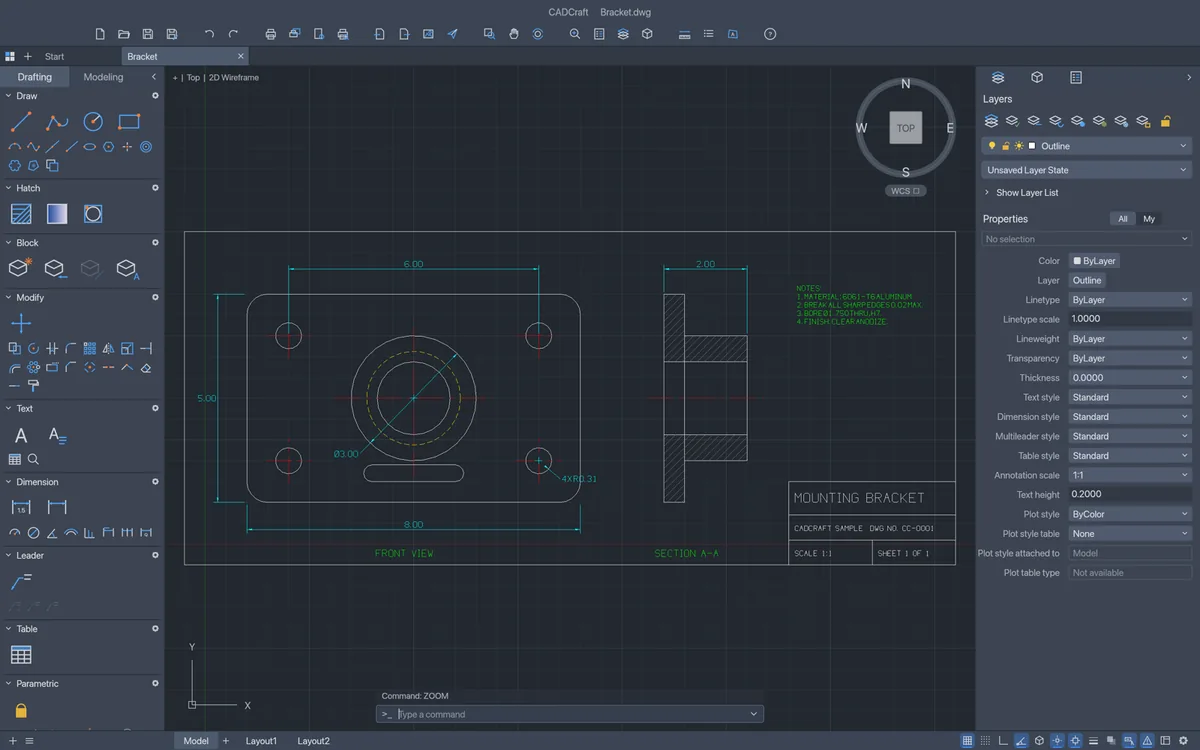
A two-view part drawing in CADCraft. Screenshot: CADCraft contributors, MIT OR Apache-2.0.
What's unusual is automation. Every menu item is a command with a JSON form, and you can drive the app from cadcraft-cli (info, convert, run), from a JSON control channel, or from an MCP server (cadcraft-cli mcp). AI agents can draw, query entities and render a PNG to check their own work. None of the other tools here is built around that.
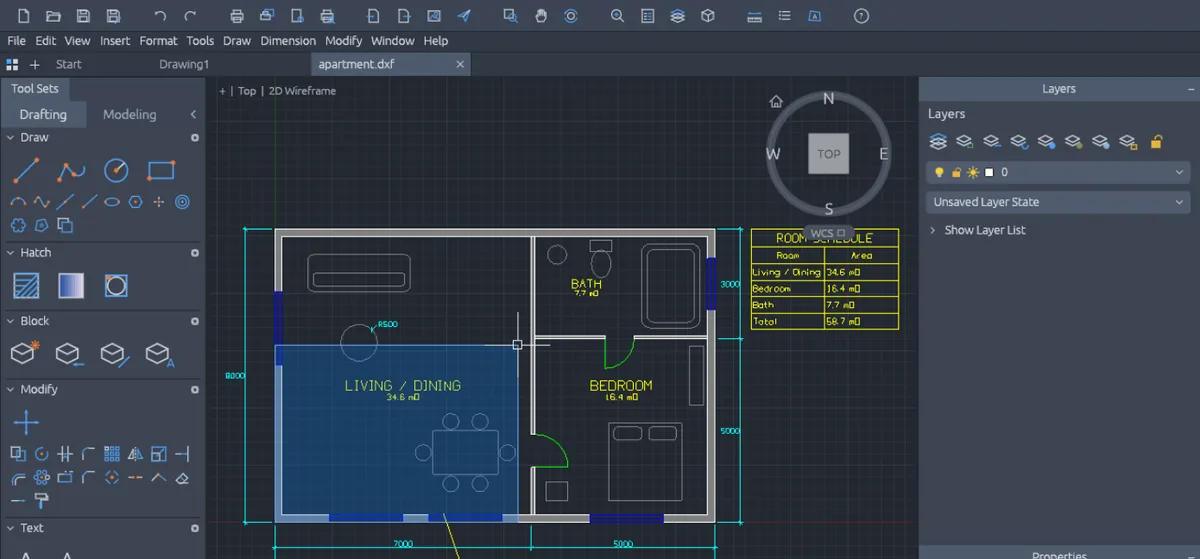
The same app in a browser at cadcraft.org/online, with a DXF opened.
The editor is free with no account needed to draw. This site sells an optional CADCraft Online Pro plan ($4.9/month or $29/year) for cloud drawings, version history and share links. It isn't required for anything above.
Common problems when switching
"I came from AutoCAD and FreeCAD feels backwards." FreeCAD is model-first: you build a 3D part, then make a drawing from it. For drawing-first 2D work, a drafting tool (CADCraft, LibreCAD, QCAD) fits better.
"My DWG looks wrong in every free tool." Check the version and the fonts first. Old R12 DWGs and SHX-heavy drawings are hard for every open-source reader. The DWG guide walks through both.
"The laser shop rejects my DXF." They probably need R12. LibreCAD or another R12-capable exporter is the better final step. The DXF vs DWG guide explains why.
"CADCraft online shows a blank canvas." Switch the renderer on the online page to Force WebGL2 or CPU mode.
FAQ
What is the best open source CAD software?
There is no single best one. FreeCAD is the strongest choice for parametric 3D parts. LibreCAD and QCAD cover lightweight 2D DXF drafting. OpenSCAD suits parts described in code. CADCraft suits AutoCAD-style 2D work, browser use and automation. Pick by the job.
Is there an open source alternative to AutoCAD?
For 2D drafting with an AutoCAD-style command line, CADCraft, LibreCAD and QCAD are the usual candidates. None matches AutoCAD’s full DWG fidelity, 3D toolsets or vendor support. CADCraft is the closest in workflow but is in pre-alpha.
Which open source CAD opens DWG files?
CADCraft’s desktop app opens DWG R13 through the 2018 format. FreeCAD can import DWG when the free ODA File Converter is installed. LibreCAD’s DWG support has historically been partial. QCAD’s DWG support is in its commercial Professional edition.
Does the license matter if I only make drawings?
No. Drawings you create are yours under any of these licenses. The license matters only if you modify the software itself and distribute it, for example by embedding it in a product. CADCraft’s MIT OR Apache-2.0 is permissive; GPL tools require sharing the source of distributed modifications.
Related
- CAD file formats explained: which format each tool reads and writes
- CADCraft vs AutoCAD: a side-by-side on price, platforms and DWG fidelity
- Download CADCraft · Use CADCraft online
- CADCraft tutorials for AutoCAD users