
SolidCraft vs CADCraft for 3D Parts and 2D Drawings
We tested the same mounting plate in SolidCraft and CADCraft. See how a DXF profile becomes a 3D solid, then download the DXF, PDF, and STEP samples.
Use CADCraft to create a dimensioned DXF drawing or PDF. Use SolidCraft to build a 3D part whose thickness and other features you can revise, or to deliver a STEP solid. If you already have a CADCraft drawing, you can bring its profile into SolidCraft and build from it.
We tested that workflow on November 28, 2026, using the macOS CLIs from CADCraft v0.18.0 and SolidCraft v0.51.2. The part was an 80 × 40 mm mounting plate with two Ø6 mm holes, with centers 40 mm apart. We started with a 6 mm thickness and revised it to 8 mm.
| What you need | Use | File to keep or deliver |
|---|---|---|
| An editable drawing with dimensions | CADCraft | DXF |
| A drawing someone can review without CAD | CADCraft | |
| A part with editable thickness and hole features | SolidCraft | .sc design |
| A solid to send to another CAD user | SolidCraft | STEP, plus .sc if they need the SolidCraft timeline |
CADCraft drew the profile and dimensions
We drew the plate as a closed rectangle and two circles, then added linear dimensions for the overall length and width. Reopening the saved DXF in CADCraft CLI reported one polyline, two circles, and two dimension entities. The dimension text read 80 and 40. The same DXF also exported to a one-page PDF for review.
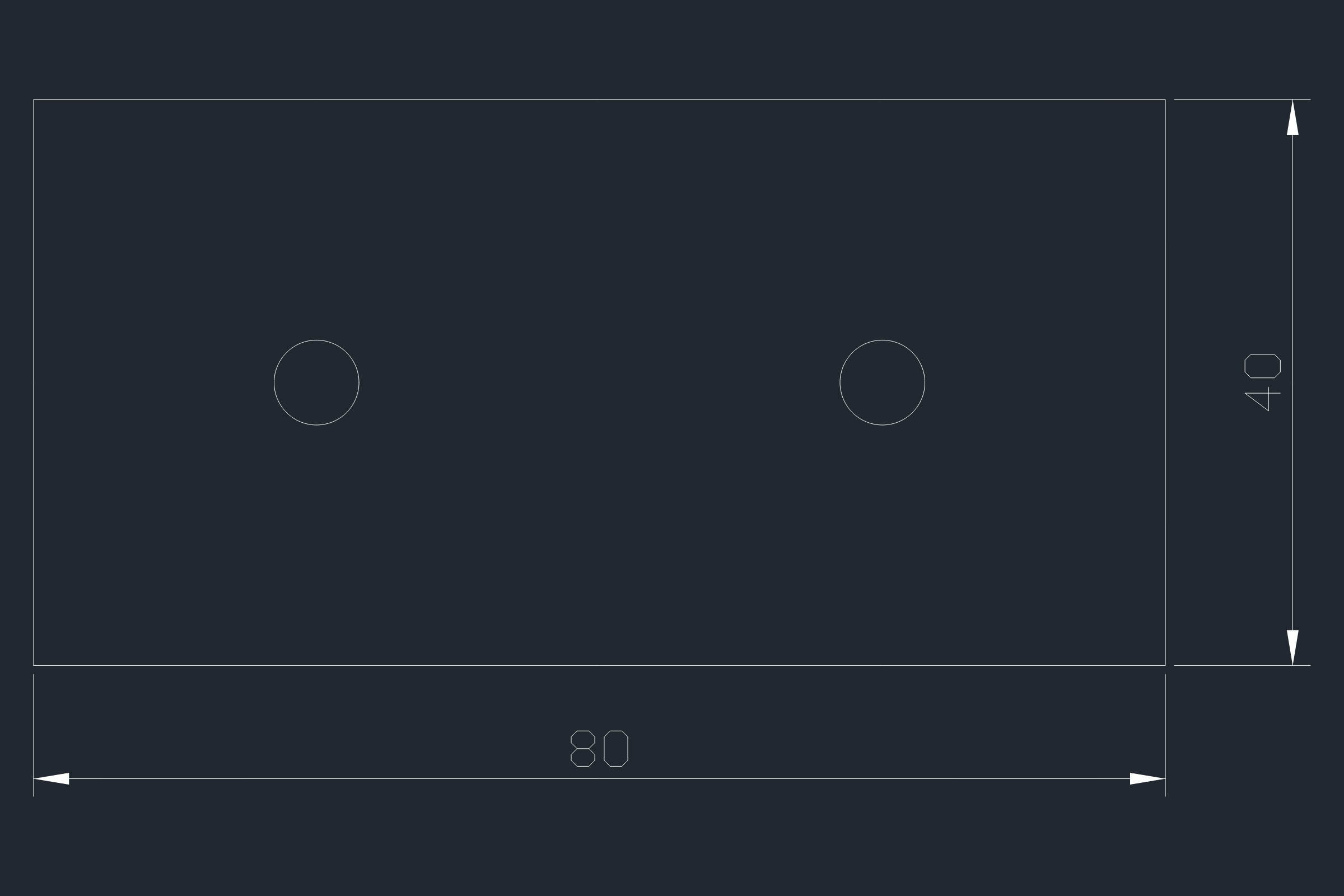
Download the dimensioned DXF · Download the PDF · Open the CADCraft online editor
SolidCraft rebuilt the part at a new thickness
In a separate SolidCraft design, we extruded a rectangular sketch and cut both holes with a second sketch. One named thickness parameter controlled both the plate extrusion and the depth of the hole cut. We saved the design as .sc and exported it as STEP at both thicknesses.
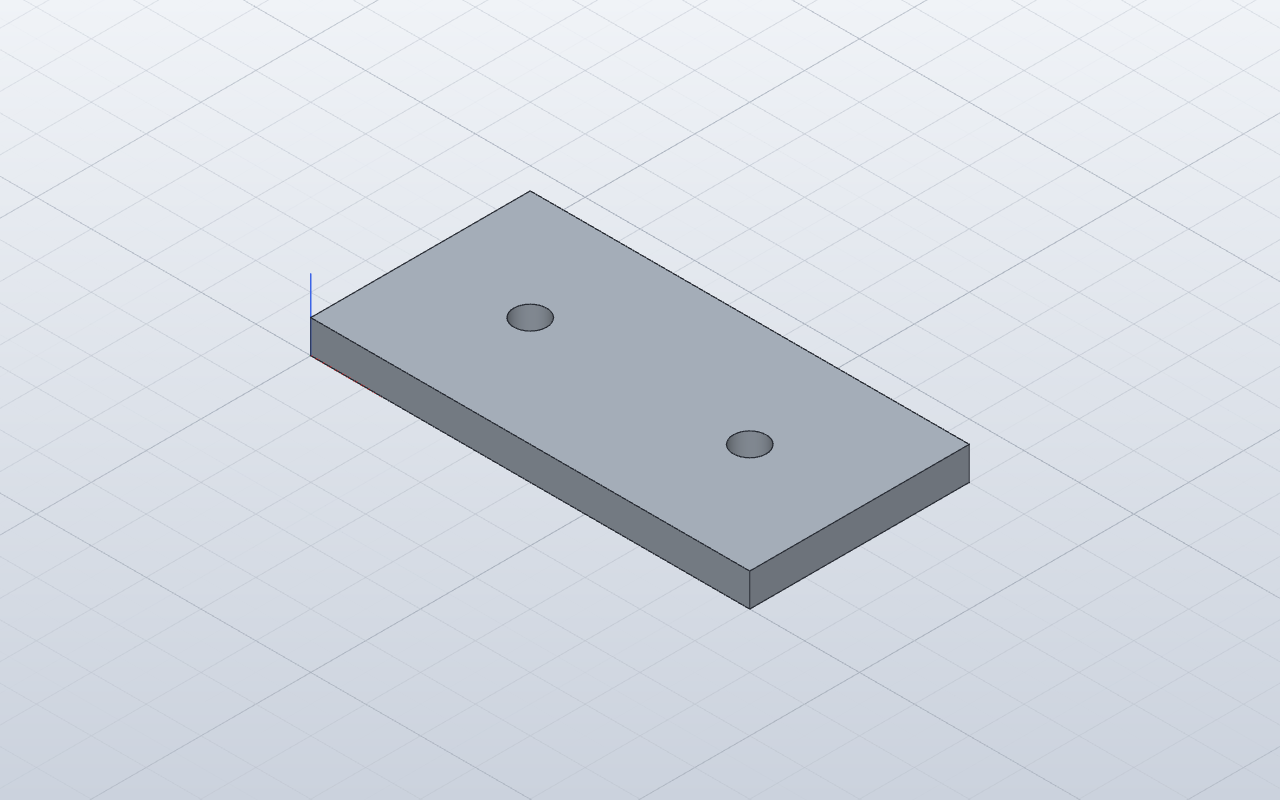
When we reopened both STEP files in SolidCraft, each contained one closed solid with two cylindrical faces. The measured solids were 80 × 40 × 6 mm and 80 × 40 × 8 mm. Their volumes were 18,860.71 mm³ and 25,147.61 mm³, matching the plate volume with both full-depth holes removed. Each STEP came back as a base feature. Keep the .sc file to retain the sketches, parameter, and feature history. SolidCraft file format guide
Download the native design · Download the 6 mm STEP · Download the CLI recipe
With the .sc file in your working directory, use these commands to export and check the 8 mm version.
solidcraft-cli run --in mounting-plate.sc --param 'thickness=8 mm' --out mounting-plate-8mm.step
solidcraft-cli eval mounting-plate-8mm.step
Use DXF to move the 2D profile into SolidCraft
We also inserted the CADCraft DXF directly into a SolidCraft XY sketch. SolidCraft found three closed profiles. Extruding the plate region to 6 mm produced a solid with the same outer dimensions, two cylindrical faces, and the same volume as the model built from scratch. The geometry-only DXF produced the same result.
Start with the geometry-only DXF if you want to repeat the handoff. After inserting it into a sketch, check that the outside measures 80 × 40 mm and each hole is Ø6 mm before extruding. For a drawing with additional geometry, inspect which loops the app detects before you create the solid. SolidCraft DXF instructions
If your deliverable is a drawing, the DXF and PDF already cover editing and review. If the part will change, keep the SolidCraft design and regenerate STEP after revisions. For other 3D tasks in CADCraft, see the CADCraft 3D capability guide.
Visit the CADCraft homepage for downloads and beginner tutorials.